Pages

Search This Blog

May 09, 2015

Solution to Disk Read Error Issue


Sometimes, disk read error happens unexpectedly. In this case, the problem occurred when the owner instantly pulled out the laptop battery when the unit hangs instead of pressing the power button safely for seconds. This is what we considers improper computer shutdown. The result is unpredictable.

The unit's model is Satellite C650 installed with Windows 8. He said it suddenly hangs when he's trying to watch videos and did anything else. I guess there was a software conflict. And trying to restart the unit wasn't able to solve it.

So, what I thought of as a remedy was to attach it to a desktop computer as slave. The one is a desktop with Windows 7 installed and the other with Windows XP on it. Using desktop with Windows 7, it could hardly detect the laptop's hard drive and open so long without the presence of the laptop hard disk.

While using desktop with Windows XP, although it opens so long, yet it was able to detect the laptop's hard drive and automatically checked the drive for system errors, removing and recovering necessary data. It took so long to fix some errors and recovers some spaces which lasted for 12 hours as files are unreadable. I can't figure out what going to happen while doing this. I feel the bad sectors are causing the disk reading slowly. It turns out that the drive has eight bad sectors based on the outcome of the system file check done by the desktop.

When the drive was finally detected, I was able to get the chance to copy some important files before formatting the partitions of the laptop hard disk. Then delete the partitions and attached it to laptop hoping it will able to detect normally. But, unluckily the same error appears.

So, I had to take it back again to where it was recognized. Format it again then make three partitions - making drive E, F and G so I could install OS where it may normally proceed. Then take it back again to laptop hoping it will work this time. Luckily, I was able to install window 7 on partition G which means the bad sector prevents the OS installation from E and F.

In summary, when disk read error occur try to take the hard drive to other computer attached as slave. If it automatically performs system check upon opening leave it until it was able to fix and recovers the drive. After the systems check (fixing errors and recovery) you may try to take it (hard drive) back to its CPU or Laptop and check whether it opens normally. If not, take as slave again in another PC. Under normal condition, if it is present in the windows explorer you can have the chance to copy some important files before deleting partitions. Then format again and create 2 to 3 partitions as the case may be, to ensure software installation in either one of them that will run smoothly. Then take it back to where it is taken and try to install OS onto any partition. If you succeed in partition G, we assume that bad sectors are within the E and F partition.

If the drive is not really detected, then replace the drive with new one.

February 20, 2015

Repair or Buy A New One

I acquired my Epson T60 printer a year ago and really impressed with its performance and capabilities as a whole. I used it for document, transfer paper, and photo printing using pigment inks. So far I was able to recoup the amount I spent in buying it. 

It is already converted to continues ink system to avoid hassle of buying expensive genuine ink cartridges. However, it started to fail a few months ago (last year) when printing one time on a bond paper, not knowing that the tip of the paper is a little bit crumpled. The paper stuck which cause the head to create grinding noise that I hurriedly put it off. This happens few times especially when the printing option is set to draft. So, I avoided using that setting anymore.

Sad to know, when I decided to remove and checked the Printer Head, I found deep scratches that prevent the inks from passing through the holes resulting to bad print out. Nozzle checks are almost impossible to resolve the problem. So I removed and cleanse the head with Isopropyl Alcohol and force a little bit to clear the holes from scratches. I let it dry for a while then put it back to test it if works again.

Yes it did! The printing seems fine using the text and image, photo and best photo option with a little lines missing but works fine on printing black text. But I usually prefer best photo to get a better printing on image as photo option is not capable anymore of producing image quality print out. Until one day, my printer suddenly pop-up an error related to unrecognized ink cartridges. Usually, this is done by merely pressing the reset button for seconds but that won't work anymore though I tried it over and over again.

I sought for second opinion regarding unrecognized ink error from a certain printer technician and told me to change the chips attached to cartridges at a cost of P450. I bought a new chips but felt disappointed seeing the same error exist. I don't know what to think next. I asked another printer technician regarding my problem and told me that the problem might be on the printer head and the logic board. It means a major repair is needed for Epson T60 which summed into trial and error and no guarantee that the printer would be fixed. The head or the logic board is shorted. I don't know if it's true that replacing the logic board you need to change the printer head too for compatibility reason.

How much will it cost? The amount is tantamount to almost buying a new one. He quoted expenses as followed: Labor P500, Flex P300, Printer Head P5000 and the Printer board P2500. It really sounds risky to me and the probability is unsure. But thanks for his honest advice to buy a new one instead. 

He further said that in that scenario, if either the head or the logic board is replaced alone damaged may take place on one of them. He wants to avoid the liability on his part being a technician. But he said he can fix it. But that made me reluctant and made me think twice. 

It sounds goodbye to my Epson T60 Printer.

August 01, 2014

Creating Bootable USB Using Rufus

A USB is a removable device which can be use as an alternative storage device. A medium for storing important files and other documents which you can bring anywhere. Somehow, you can you use it also as bootable device using the applications and proper steps in creating bootable USB. In this way you can install an Operating System (e.g Windows XP, 7 or 8) without the need for CD/DVD drive.

I created a bootable USB before for my EEE PC 4G Netbook but I lost that device somewhere. Now, I need to format my netbook so I had to make another bootable USB using new one - a 4GB Transcend brand.

I've forgotten the steps I learned before in creating a bootable USB by way of using PetoUSB, bootsect and USB Prep8 which was shared by a certain blogger. It was a long procedure but very effective. Unfortunately, I wasn't able to record those steps here in my blog, that's why I need to find other articles that are simple and easy to follow.

In this website - Techgage.com, the writer shared about Rufus and other software's for creating bootable USB suitable for Windows 7, 8 and XP. From one of them, I decided to try RUFUS by downloading the application through their own website. Definitely, Rufus works great without any hassle. Very simple and easy to use.

Here's what I did to create a bootable USB drive:

1. Download the Rufus application.
2. Create an image file of Windows XP using Nero 6
3. Download Magic ISO maker 5.5

First, create an image file of the operating system (e.g. Windows XP) using Nero 6. The image file has an extension name like .nrg. Saved it to where you can easily locate the file.

Then, convert image file to ISO using Magic ISO maker.

Proceed to run Rufus application like the image below. Under file system select NTFS. Then under create bootable disk, select ISO Image. Leave all other in default then click start. Once completed you may now try using bootable USB to format laptop or desktop that has boot from USB feature.


If an error occurred while reading the drive, just remove then re-insert the USB device and try again. If errors continue, then there might be a problem with the USB port or the USB device. Try another one.

April 12, 2014

Advantage of re-installing Operating System without formatting the hard disk drive

What I experience a few days ago is related to corrupted windows operating system (OS) using windows 7 which cannot be restored or repaired normally. The problem occurred when the desktop was accidentally drop by a child which affected the hard drive. After a few try to repair itself (advantage of latest windows platform), or somehow tried to perform a restoration to an early stage to no avail, I decided to re-install windows 7 and solved the problem. 

What about the files? Most of us surely want to retrieve or recover those files as much as possible. There are two options in the installation process which are using Upgrade or Custom. Upgrade means replacing your current version with the latest one keeping your files and system intact. Meaning, you don't have to worry about you important files. While Custom means, according to Microsoft, replaces you current version with the latest one but not preserve you files and system which is considered a new installation. But, I found out that using custom installation using the same system drive and not formatting it will allow you to recover your files but not the programs.

During the re-installation it will prompts you that old files and folders will be placed in the Windows.old folder so you can copy it later (within in a short period) to another folder before they will automatically deleted. You can find the Windows.old folder below the Windows folder newly created in system drive - C drive. Then you can delete the Windows.old folder too. How long will it work is under observation since I found about 9 bad sectors in the drive which may cause the drive to fail.

Formatting the drive is only needed when we wanted to have a clean installation, meaning erasing all sorts of unnecessary files including some virus or malwares that causing the computer to slow down. If those files are not really important you can format the drive instantly. Otherwise, you need to re-install the OS without formatting the drive and recovers those files you needed. 

April 06, 2014

How to deal with Shortcuts files on USBs cause by a virus

USB or flash drives are most often infected by this type of files. Users are not aware that is type of files appears normally on their personal computer that is not virus protected. Or, virus protection is not updated that's why when clicked, it will infect your very own desktop not knowing that it is cause by a virus.

Every time a customer brings in their USBs for printing documents I always noticed this kind of shortcuts files created by a virus. I'm sometimes annoyed because some (customer/user) don't really know about this or know how to unhide their files so it can be easily accessed. So I had to use command prompt and show hidden over and over again just to print the files they wanted.

In order to print the files, we must show hidden files or folders and delete those files shown as shortcuts. So, I copied the syntax attrib -h -r -s /s /d g:\*.* and paste it onto a notepad. First, type drive letter of the removable device and hit enter. Then, paste the syntax and press enter. Just change the drive letter in the syntax with the one you're trying to access. From attrib -h -r -s /s /d g:\*.* to attrib -h -r -s /s /d d:\*.*.

Whenever I encountered those shortcuts files, I just copy and paste the syntax in the command prompt for unhiding files and folders which look like this.


Then afterward, the original files will appear on the flash drive. Deleting all the shortcut files are safe and necessary to avoid confusion and avoid clicking it. However, a complete virus removal is needed in our personal computer to avoid hassle. In Windows XP, you can install free anti-virus or try combofix. In Windows 7 or 8, Windows Defender is available already and will do the job by removing malware or quarantine viruses found in removable device. You will be notified when a virus or malwares are detected. You only need to either change the setting to auto or manual removal of malwares or virus.

So the next time we see a shortcut files be cautious and don't click it unless you're the one who created it.

December 15, 2013

Canon MP287 Alarm Lights Steady But No Power


I have 2 units of Canon MP287  3 in 1 printer. The old one continually flashing error E05 as both ink cartridges are not recognize because of a damage on the flat cable ribbon connecting the ink cart and logic board.

The new one I bought few months ago reached its printing limit meaning "Ink Absorber is Full" flashing an error code P08. So I need to reset the printer.

Unfortunately, I can't reset the printer though I properly followed the correct procedure of resetting the unit. Then after so many attempt, another error appears which is P07 which refers to ink cartridges not properly place. But no matter how hard I tried to re-seat the cartridges the problem still there. And when I tried to reset the unit again the alarm light steadily appear and there's no light on POWER button.

I suspect that there is a serious problem inside the printer and search for additional information regarding the error. I've been dealing with this matter over a week now but afraid of removing the logic board since I'm not sure about it. I was able to find a concrete idea behind this error through some forums and a video uploaded on YouTube. Some said the problem lies with what they called "logic board". 

So I thought of replacing the logic board with the one from the old unit of the same model thinking of this as the main problem. After a few hours, I did replace the logic board and did able to bring it back to a normal operation by resetting the unit first. Well, there's no harm in trying unless we're not sure how to do it.

December 11, 2013

Operating System Not Found On ASUS K8-VVM

When I turn on the computer to check it, an error appears saying "No operating system found". I restarted the computer and go the same line. 

There are two solutions that flash in my mind. First, to find a software that will let you boot the computer and fix the error and second, to format it thoroughly to minimize the troubleshooting effort. 

In fact, formatting a computer doesn't waste a lot of time compared to troubleshooting with particular error. However, it takes time only when you want to back-up or copy those files in the drive by enslaving it with the use of another computer. You can format it without hesitation if those files are not really important. After all, formatting a computer takes only two to three hours depending on certain computers or any hardware of software issue.

Anyway, files are not important so I format it directly. While in the process of doing so, I came to a selection of which partition should be use. I found out that both partitions were "unknown" similar to what I've encountered with some hard disk error which are damaged by third party software or by a virus. 

You can check hard disk stability with third-party software like regenerators etc. In this case, no click sounds or crashing happens during the format. And the formatting goes very well and I was able to install everything and the computer opens normally resolving the problem without taking a lot of time unlike finding the root cause.


September 13, 2013

What's Up With Microsoft Security Essential


Not all free antiviruses work the same and that all free are limited in function. However, the good thing about this software is that is easily detected any threat of virus when you insert a USB flash drive or an SD card. It will automatically detect a threat and this going to be quarantined for a time. Then if you want, you can manually remove or delete any virus by simply clicking on the remove all detected button instantly. 

Last night, it was able to detect 1166 viruses in my D drive which compose of files and folders backed-up a year ago plus files on my recent hard drive. It took me 6 hours to clean all infected files and folders. This infections really makes a PC responds slowly whenever you opened a program. Instead, I just formatted the drive and perform a fresh install of Operating System - Windows 7 Ultimate.

Depending upon you internet speed, Microsoft Essential can be downloaded directly at Microsoft website. Just download the right version for you current platform. If it is a Windows XP SP2, then download the necessary update before installing Essential. In Windows 7, no need to update as in my case, just install it then update using internet and began scanning your files. 

I find it very useful and users-friendly. Manage the Settings according to your preferences such as scheduled scan and so on. Just update the program and you're files are safe and protected. From time to time, checked the History tab to find if viruses were quarantined and are ready for deletion. 

For Home users, no need to buy expensive anti-virus software. I understand that though we already scanned and removed the viruses, there's still left undetected. Yet, better maintain a back-up copy of your files just in case, because, not all anti-virus work effectively in the way you want it.

August 17, 2013

Simply Knowing and Understanding The Video Card

A user may sometimes ask why the monitor is blinking, a PC hangs and video cards overheat which are among some of the behavior attributed to video card.


A video card pertains to a peripheral attached to a motherboard. It is also known as video adapter, display card, graphics card, graphics board or display adapter. This is usually attached within the video card slot or port. It's either an Accelerated Graphics Port (AGP) type which is phased out already in the market or PCIe type. Peripheral Component Interconnect express (PCIe) is a high speed serial computer expansion bus designed to replace the PCI, PCIX and AGP bus standards which was introduced in 2004 that is why AGP card is no longer used.

Seemingly you can still buy AGP card available for old model computers which is still abundant in some markets selling surplus computer and peripherals. So long as the card exists you can still use your Pentium 4 socket 478 and 775 or any brand of board created before 2003.

Due to some latest innovations, some motherboard already used PCIe type and even had on-board or integrated graphics accelerator firmly attached to the main board (other term for motherboard). Both of them can be seen with the latest models of motherboard.

Nowadays, it turns out that newly built motherboard intensifies the use of on-board graphics accelerator as can be seen in the PC Express website. Few models eliminated the slot for PCIe card. But as the on-board graphics accelerator is not capable enough to control or run highly graphics games a separate slot is necessary. So we need to learn how to deal with video card problems.

Basically, beside from Random Access Memory (RAM), a graphics card served as an accelerator by making any games or programs runs faster. New designs contains two ports for dual purpose - one for monitor and the other for TV output or using another monitor. Without it you can't even view anything from your monitor. If we encounter lags while playing online games then this is it, you have a problem with your video card. Poor graphics card may cause your system to restart. It may also make your system become unstable especially when it overheats.

We need to have a high-end graphics card if you want a smooth gaming experience. If you love viewing You Tube videos then you need to have something like 128 Mb, 256 Mb or higher capacity combined with high speed internet service.

What to know if Graphics card is not working properly?
  • Overheating
  • Fan not working
  • unseated properly
  • physically damaged
  • slot is defective
How we can avoid such situations. Can we do it without the need for a technician? Absolutely, Yes! We only need self-confidence and understanding in doing personal computer maintenance

Overheating
   Add additional fan around the casing to cool down graphics card other parts of the CPU. This is an effective way if your location doesn't have enough ventilation. Or, you're living within a hot climate country. Buy only card that has fan on it. Consider buying a case with enough ventilation which may help eliminated excess heat.

Fan not working
   Mostly, user doesn't care enough for this - ignoring fan's behavior. If you have time, try cleaning the fan if possible. Usually, so much dust can prevent fan from running as it accumulate inside it. But never press the fan heavily as you may damage it instantly. Wipe off the dust using brush or a blower if you need to blow away some solid particles inside.

Unseated properly
   Try reseating the video card. Reseating is simply taking it out (video card) and putting it back carefully. It may solve the problem. Clean the port to make the slot and the video card firmly connected.

Physically damaged
   Stores don't allow unit testing but provide replacement under the warranty period when the unit is defective. Avoid mishandling the unit to avoid damage otherwise warranty may become void. So as soon as possible, if it is defective ask for a replacement under the warranty period. This time they will test the unit and replaced it accordingly. If it is a surplus or something, they would test the unit giving only a short period of warranty. To check by yourself if it is defective or damaged try it with another PC.

Slot is Defective
   This rarely happened but must not be ignored. We have to understand that sometimes this might be the case which often ignored when troubleshooting a computer. The port is defective if after several attempts the card is not working wherein you found the card worked with the other PC. If the port is defective and the board doesn't have an integrated graphics controller, the board is unusable. 

August 14, 2013

Installing MS 2007 in EEE PC 4G


I've been using MS 2003 on my EEE PC 4G ever since I got my netbook because it takes only a small space in the hard disk and it's easy to install. But the disadvantage of creating a document in MS 2003 happened when you bring it to some computer shops for they are using the latest version like 2007 or 2010. In short, the files are not compatible with the latest version except they are using the Compatibility Pack (2003-2010) from Microsoft and I doubt they have. 

So, I removed 2003 and decided to install MS 2007 to take advantage of a more feature. But in so doing, I was able to encounter a problem which was not resolved without doing some kind of research.

Now, if you have that problem regarding installation of MS Word 2007 into EEE PC 4G, then this might help you resolve it. Indeed, Installing Microsoft Word 2007 for the first time in my EEE PC 4G was a little bit frowning. I attempted to install it many times and it was unsuccessful. I thought it failed because of the hard disk size so I added an SD Card to it to install MS Word on the removable device - disregarding the message I've seen each time a failure occur. But that did not resolve the issue until I found the solution.

I downloaded MicrosoftFixit50199, installed it and selected the SD card drive for the location. Then, attempted once more to install Microsoft word and it worked. What an added successful experience!

April 17, 2013

Sample Reason Why A Computer Shutdown


A friend of mine came bringing her CPU in our house to be checked for some kind of annoying behavior. Fisrt, she said the computer suddenly shut off while enjoying her Facebook. Even playing an offline games for an hour, it turns off.. Second, even without doing any task, the computer would suddenly turn off after 30 minutes or even an hour.

The situation is not the same, as it may occur even in a short period of time like 5-15 minutes which is I think due to the hot climate or something. But it's not!

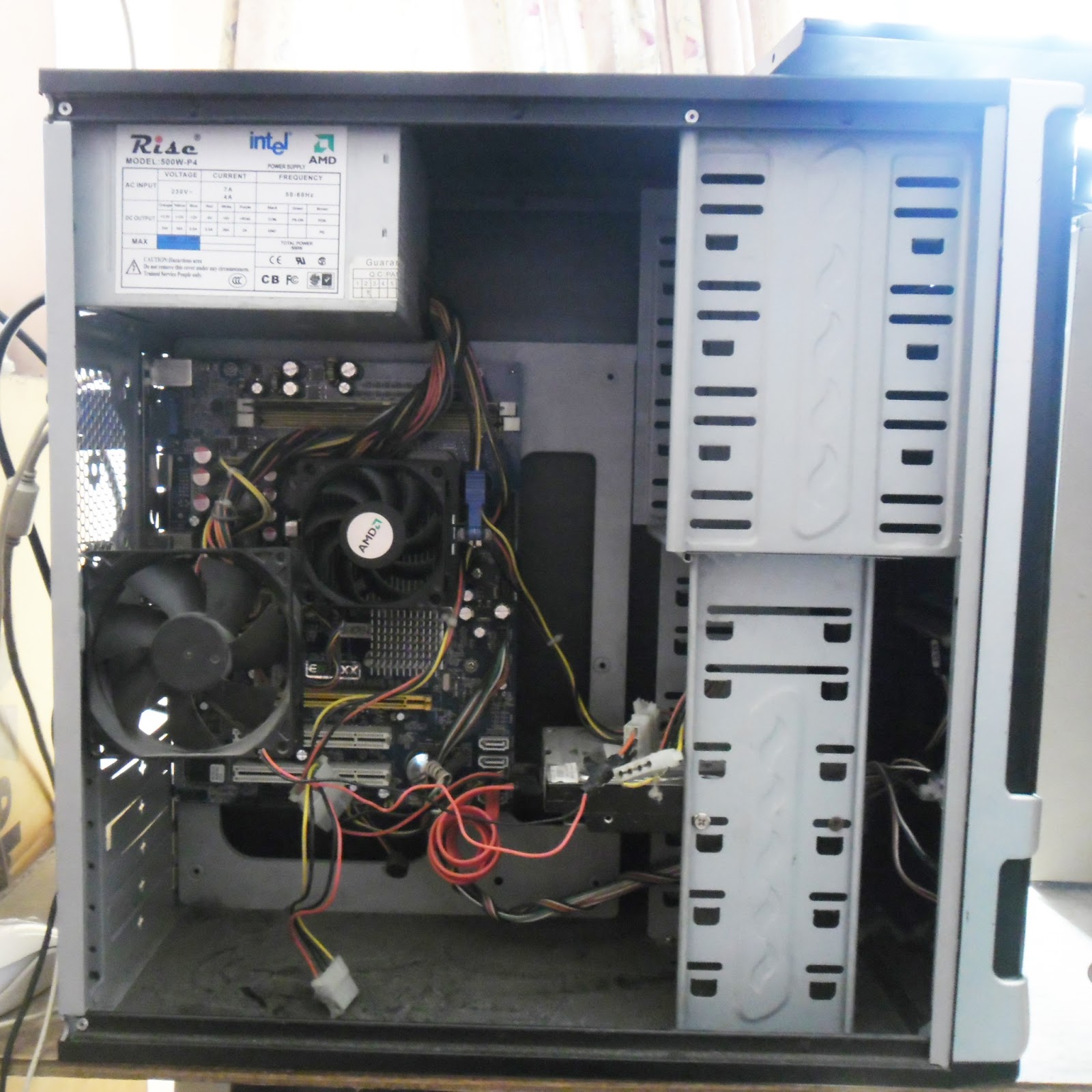
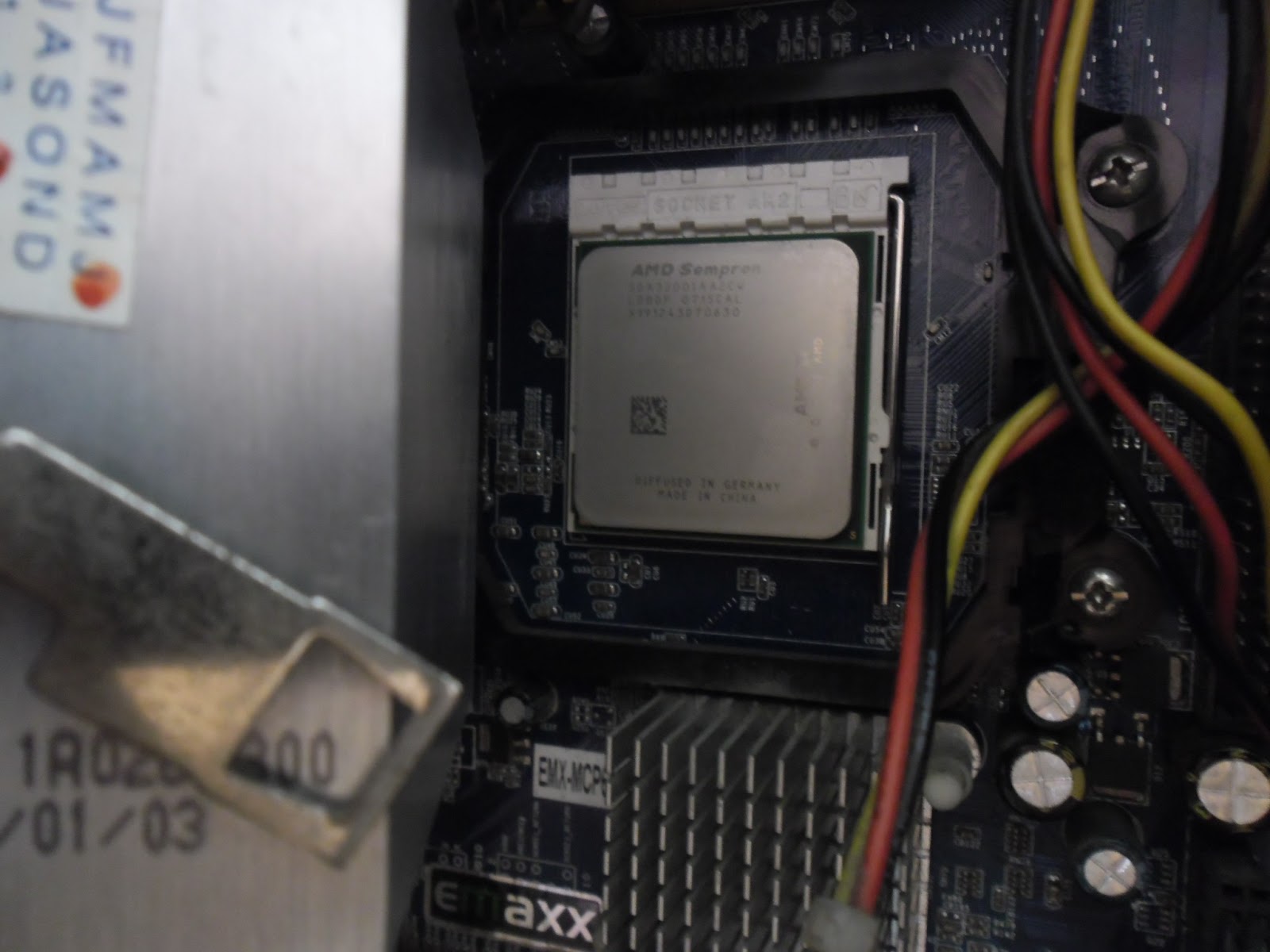
It took me 6 hours troubleshooting her CPU, an EMAXX MCP61P AVL motherboard. I tried to format and install OS using another hard disk drive to check if this is one of the problems. It turns off while in the middle of installation - upon loading cabinet files. Then, I've switched the memory to different slot to see whether it's good or bad.


Check the temperature

For me, touching the heat sink safely would help me feel and know how the temperature goes within the CPU. It's overheating when the heat you felt at the tip of your finger is too hot and dare not to touch it. However, not all situations are accurate.

This could be a challenge if you don't have spare parts similar to that one supported by the motherboard - like the processor and a RAM attached to it. But thanks because I have a processor which is supported by the kind of motherboard she have. So, I took the chance to learn on this one by checking first the software's installed which uses a lot of memory usage, for viruses which may cause the system to shutdown, the operating systems behavior as well, the hard disk and above all the processor and memory. 


Check the Thermal Paste

Hmm... why not check the thermal paste (often than not it may happen once). Let us remember that every thing attached to the board is considered essential and should not be underestimated . Then, I tried to check the thermal paste between the heatsink and the processor (where I've seen has dried up and need to be replaced), but what I did was just wipe it out and placed it again without thermal paste.

Yeah! Even without thermal paste, the CPU will run but it's really necessary to put thermal paste in-between to absorb heat effectively. However, the problem persists. Tired enough, no choice but to test the last option I had in mind - to use another processor instead.


How happy I was to see it did work. Indeed, the processor was the real problem. It runs smoothly in 3 hours without abruptly shutting down while doing defragmentation, virus scanning using Microsoft Essentials at the same time. I can now enjoy Facebook or play games without interruptions. Problem solved!

April 08, 2013

Problem Burning A VCD Using Nero 7


According to pcmag.com the best disc burning software were the following:
1. Ashampoo
2. Cyberlink
3. Imgburn
4. NCH Express Burn Plus Video
5. Nero Burning ROM 11

I thought Nero was the best software ever for burning audio and video. With the previous version of Nero, I was accustomed of burning more audio and VCD's as well. With this article, it featured out that Nero is on the 5th list among the best software based on 2012 review. While according to the latest review Nero was on the 6th list where I believe have been trusted and used by many. 


Using Nero 7, burning a video using an MP4 format does not show any problem. It went through well while transcoding and burning it onto a CD. And when I check the output, the video and audio are intact. 

First, I tried to burn using the original format and it turns out that no audio appears in the output from the start  to end of the video. The original video has .vob extension name so I converted this to .wmv hoping it may work this way. The conversion is completed with video and audio track on it.

Then, tried the second time using the converted video. It tooks 30 mins of transcoding and smoothly goes fine and successfully burned. But when I try to check the output, it appears that it has sound in the first 2 seconds and the rest of the video has no sound which is different from my first attempt.

This puzzled me and afraid of burning another copy which may result to wasting few blank cd's added to the ones I already burned. I don't know what went wrong while burning a .VOB or .WMV format video using nero 7. 

I'm not sure either the problem is the CD writer or the computer itself. But the CD writer is a month old brand new Samsung DVD multi-recorder. This is the first time I used it to burn videos. 

The previous version of Nero installed in my computer was quiet doing well in terms of audio and video burning. But this Nero 7 does not do well. 

February 05, 2013

Scammer Online

It is such a great privilege and an advantage for anyone to enjoy the great benefits of these so called "Modern Technology". Right now, everyone enjoys the presence of social networks such as Facebook, Twitter, and any other sites listed here which is built for a better communication that brings more and more people closer than ever. 

Facebook is such a great example which has a great number of members across the world. So to speak, a great number of pretenders which you don't know who they are unless you meet them personally. Some joined to look for another prey. They pretend to be good friends but take advantages of those who are easy to deal with.

Through these channels, everyone is connected at home, in the office or wherever they may be. No doubt, people are far more acquainted with their relatives, friends, colleagues, and even strangers from far flung countries. And as soon as friendship is established, some if not all, will start making deals, give some offers, do selling and anything for something. And this is dangerous, as the saying goes, "Don't talk to Strangers". In other way around, "never ever trust a stranger".

Never trust anyone especially if you're not acquainted with them personally. Never take offers which may put you in great trouble. Never buy a product which is impossible for you to see and feel unless they are of good reputation or a trusted company, fully registered for that purpose else you will be in big trouble. Ask someone's opinion or suggestions about their identity. The thing is you never know if they are of good reputation or a trusted one. 

If you would like to buy an item unless it is one-of-a- kind, buy them at the local store. In buying at a local store, you would pay more but it's a safe transaction where you could immediately get the item and return the item for any defect. If you want secondhand items, it is best to meet in person to see whether the item is good and the seller is an honest seller. What if you're miles away from a stranger? Have someone (a friend or a relative) do it for you but it is best to stay away from long distance transactions as suggested by others. 

If you continue to make transactions, bye-bye to your money once the item did not arrive at your doorstep. That is what we shall say "Charge to experience". No one else should be blame except you.

January 24, 2013

Is Skybroadband Much Better Than Any Internet Provider?

I don't know what came into my mind when I subscribed to Sky Broadband. Maybe because I'm too tired about the poor service provided by Smart Bro these past few months ago or I just want to try something different this year. 

In my previous blog, I talked about Smart Bro - how happy I was that time (the first few months) when I started with them. It was just great and I always had a positive impression about their services. That's why I remain loyal to them in the span of 7 years. Imagine, seven years of being a loyal subscriber! 

But then as time fly, their service instead of going better became worsen! Connection are sometimes interrupted, on and off and no signal at all. To tell more about it is a long story. It doesn't matter anymore if you're an old or loyal subscriber as long as they got new ones who don't know much about their way of maintaining their customer or providing satisfactory performance.

Then my wife told me about SkyBroadband agent which came by the house this week. I've heard about this through my relatives and somehow read some articles - usually a review. Only SmartBro, Globe broadband, Bayantel have entered our vicinity, so I am happy to hear they're in. So, I told her to send a message to the agent to visit us and talk about their services. 

The agent explained to me how their package is better than Smart Bro or Globe Broadband. He said that the direct cable connection is faster than that of a canopy or antennae. For P1,000 pesos (1 Mbps unlimited plan) as initial payment, you could easily have your connection within a few hours. No installation fee and with just a couple of documents needed such as a proof of billing and Identification Card, they will line you up for installation. Mine was done in just a couple hours after our conversation. Aside from that, you could get a Flexi Gift Cheque worth 2,000 under the promo period which is automatically applied to your account when you subscribe. It means you could get two months free internet usage. 

The package is offered to all existing Sky Cable subscriber and non-existing alike. 

Perhaps, this is the greatest deal you could have as a subscriber. That is why I never got a thought or two and spontaneously agreed to have it installed in just a few hours. 

Installation is done in few hours with two men working together. I already had an internet connection tested and verified. YouTube plays faster than before and browsing the web was fast enough with their 1 Mbps package plan. That's why my son enjoyed watching movies from YouTube. How much more if I did subscribe to 1.5 mbps, 2 mbps, 10 mbps and 15 mbps! Well enough, I'm satisfied with 1 Mbps unlimited plan. It's been a week already that we enjoy the speed and smooth connection with Sky Broadband. And I hope Sky Broadband are true with their ads and provide much better services in the future than the others.

Here is the speed test for 1 Mbps unlimited plan.


January 10, 2013

Printing Your Own T-Shirt Designs Using Silk Screen


What makes Silk Screen printing manageable these days? Unlike before, manual process of preparing a layout is painful especially when a complex design is desired. And computer was not yet fully utilized to produce a more advance and complex set of designs. But now, you can personalize your T-shirt designs in just a few hours. 

To be a Silk Screen Printer artist and designer, the need to be more patient, resourceful and imaginative and results oriented are significant. Indeed, being imaginative is such a great advantage with anyone who deeply relies on other ideas and skills. A strong determination to learn and apply your skills can help a lot too.

Nowadays, the aid of using computer lessens the time and effort to make one great design for T-shirt. You just browse the internet and choose what type of design you want to be printed in you shirt. Thanks to those who share them over the internet! No hassles. 

Silk Screen printing is a good hobby which in time, you can turn it into business. There are a lot of tutorials available in the internet to teach you how to do it. I find it so interesting that even I had learned how to do it without added expense by going through formal studies or attending training. But I know going on training can help a lot to intensify your skills and knowledge pertaining to such project.

Materials for Silk Screen Printing

Basically, what I've known so far are the used of the following:
  1. computer
  2. printer
  3. squeegee
  4. green film
  5. ready mix emulsion
  6. electric lamp
  7. a rectangular-type transparent glass
  8. blower
  9. water spray 
  10. and the screen itself.
First, set your desired T-shirt design using either a text or an image. When I first tried my first project, it started with a combination of digital (for image using heat press) and silk screen for text only. I use Adobe Photoshop in laying the type of text, choosing the right font and size preferences. 

Procedures
  • Print your design to an A4 size green film at the printable side (the dark side) using pigment type of ink or an inkjet printer.
  • Then, apply ready mix light sensitive emulsion (by Tulco) to the silk screen frame and let it dry in the safelight for an hour using an electric fan or a blower. Once dried you're ready to place the film inside the emulsified silk screen frame.
  • Place the emulsified silk screen frame on the table with a dark clothe under it. Place the film inside followed by placing the glass above the film (like a sandwich). Used a lamp shade with a 50 watts bulb or fluorescent to expose (to dry up) the part not covered by the design. The distance between the screen and the lamp is 15-17 inches to exposed the uncovered area. Let it dry for an hour depending on the heat produce by the lamp. More heat means less time.
  • Then, wash the unexposed (soft part) part of the design using spray, strong enough to wash away that part of the layout which is not exposed (not hardened) by the heat.

Then, you're ready to perform your first printing job on shirt.

This process of applying emulsion is suitable for multiple shirt printing.


Printing Your Design on a Bond Paper

Using a design printed on a bond paper is suitable for a few printing only. No need for emulsion process. Suitable for single color printing, too. All you have to do is print your own design using a computer or manual process (drawing). Then cut it out using Stencil cutter. Once done, place it above the shirt followed by the silk screen.

In the case of complex design or a combination of two or more colors, a color separation process is necessary and multiple silk screen design is needed.

December 22, 2012

How To Stop Explorer.Exe Virus From Windows?

In a normal operation, you can't see any explorer.exe error popped out of the window everytime you click a file or folder. This is annoying and you can't work properly with your computer. If we see an error like this, then there is something wrong with the windows or a virus is trying to destroy your programs.

What is Explorer.exe?

Accordingly, Windows Explorer is the application that displays the contents of folders and drives on computer. By manipulating the icons within the windows explorer, you tell windows what to do with the actual files.

Explorer.exe is another part of Windows, the shell, or the program that maintains the desktop and interface of the system.

The explorer.exe file is an executable file for Windows Explorer. In the Microsoft Windows operating system, the explorer.exe file runs and has a graphical user interface that you can see when you are opening hard drives or file. Sometimes, the graphical user interface of the explorer.exe file is referred to as Windows GUI or Explorer.

The explorer.exe file was created to replace the Windows 3.x File manager, which is the older version of the application embedded on previous versions of the MS Window environment. The explorer.exe file is executed when the user double-clicks on the My Computer desktop icon and the one found in the start menu. The explorer.exe file was initially used only to navigate or browse files, but as newer versions of Windows were release, it evolved to being a file management system that is task-based.

Other instance of Explorer.exe

Some say that explorer.exe is a process which is registered as a Trojan. And this Trojan allows attackers to access your computer from remote locations, stealing passwords, internet banking and personal data which is a security risk and should be removed from your system.

Some says it is not a spyware, neither an adware nor a trojan virus and should not be removed from the system.

So it's better to check it out by yourself.

A User's Suggested Solution:

1. CTR-Alt-Del to bring up Task Manager
2. Click file / New Task (Run)
3. Type Regedit in the Run box and click OK
4. Browse to the following registry key:

HOTKEY_LOCAL_MACHINE\SOFTWARE\Microsoft\Windows NT\ Current Version\Image File Execution Options

5. Under this key there will be sub-keys named explorer.exe and iexplorer.exe. Delete both of them entirely. They should be listed under the Image File Execution Options Key.
6. Close the registry editor
7. Restart the computer

Assuming no other viruses/ adware/ spyware/ malware are interfering, the windows desktop should load fine then.

What if a virus infected the file?

First, try to scan all the drives using Avira or Avast. Look for the free version or buy a licensed one. Virus scanning can help you determine and eliminate files infected by a virus. This way, it will lessen your burden and prevent penetrating your files or programs. It will help you decide whether to delete them or quarantine them so you can still use some of the programs by restoring those execution files found in the virus vault or virus chest. Deleting those executable files can prevent you from running a certain program and all you need is to re-install it.

Other remedies available if users' suggestion doesn't work

For me, the shortcut method is to reformat the PC. Reformatting the computer can save your time and effort than removing viruses one by one (which is time consuming) or applying some user's suggestion found in the web. I experienced this already and I was so frustrated.

In the case of two partitions, some viruses may reside on either side in which case we may not totally remove them even after reformatting and installation of Operating System. In my case, the virus is strong enough that reside on one partition which after I reformatted the system drive and installed OS and other programs - it's still there. When I attempted to install an anti-virus program, it didn't push through and removed the installer as well.

So what I did was reformatting it again and installs the OS and the anti-virus before anything else. Indeed, the anti-virus was installed and prevented any virus from attacking those files in the system and removed those virus detected by it.

Therefore, be sure to install an anti-virus as early as possible (after installation of OS) that when they start to attack some files they could be prevented by an anti-virus.

December 10, 2012

Bad Side About Canon Cartridge

When I got my 1st Canon printer it was MP145. Then, after several years the scanner gave up. I tried to look for replacement but it's was so sad to know that it was faced-out in the market and it's hard to find some replacement. So, I turned to MP287 which is slightly different from MP145.

I really liked Canon model when it comes to speed printing. The 3 in 1 features is amazing too. Although the performance is great, there seems something bad about it - it's the cartridge.

The cartridge doesn't seem to last for years and it sounds so expensive to buy a new one when out of ink or defective. Maybe that's how they made it. For this reason, many user opt to convert the printer into continuous ink system to eliminate that thing (replacing the cartridge often) or save money and time in buying a new one. 

The Print Head is basically attached to the cartridge which make it more easy to replace or remove when the head is damage which is an advantage compared to other brand of printers. 

However, when misalignment happened during the printing process, you need to perform minor head cleans which solved the problem but the fact is - doing too much (when no prints appears) can totally damage the head which means we need to buy a new one (in case of using original inks) or some fresh empty cartridges (in the case of using continuous inks system).

Using original inks cost a lot if damages occurs to often. And this is a great disadvantages of using canon printers. The same thing feels when using a continuous ink system (CIS), even though fresh empty cartridges is way much cheaper.

October 13, 2012

When To Buy A Computer

If you're looking for a personal computer of your choice, never go in haste in buying one. Take a greater look for something worth for your money. Nevertheless, it's up to you take it or not, after all, it's your money. But think wisely, for once you brought a used PC you'll end spending too much on it.

However, if you want a second-hand desktop or laptop on a tight budget be sure you know what you were looking for. Search over the internet to choose what is best for you. Ask a friend who knows something about computer specifications and knows how to take a good eye on it. Don't be satisfied when a seller or an agent will say something about their offer. We know how marketing works when selling a product. And best of all, give yourself a time to think or search for another, a day or two. 

Bilal Ahmad wrote something about buying second-hand computer. He suggested to test it before buying. In his article he suggested some ideas on how to test a good computer. I find it sounds good to try his suggestions

But it is truly better to buy a brand new computer considering the warranty period as an advantage. Don't waste your money for used one with warranty or something like 3 or 6 months. I don't think any seller or agent will give you longer warranty for a used one. You can't rely on the used one while a brand new will last for five years or more depending on how you use it. With the new one, especially a latest model, you will certainly enjoy its highest performance. Although the price is too expensive but your money really worth it. 

The used one is good when you know how to troubleshoot or repair it yourself. Troubleshooting and maintaining a computer is the hard part I've seen with those who have putted up a small internet cafe that at the end losing all their money on repairs and maintenance then opt to sell it at a lower price. Same thing happened to us personally.

Personally, I advised my friends not to spend money on second-hand and don't recommend it either. Let say you have P5,000 plus in your budget, a used one may cost a little lower than that but with a brand new, adding P2,000 or higher, you can already buy an ECS or MSI motherboards with built-ins graphics, a CPU and 2GB Memory.

Think before we buy a second-hand computer.

October 08, 2012

Experimenting Waste Inks For Use With Canon 3in1

The use of continuous ink system has helped me a lot to save money. In fact, I've been using Cuyi brand (a Korean made inks) for almost 4 years now. No regrets or whatsoever. Unlike before, I use to have only original inks supplied by printer's manufacturer or another replacement which was too expensive for personal use. A 100 ml bottle can be use for months or more for printing or photocopying purposes. There's no worry everytime cartridges run out of inks. You can fill empty tanks anytime you want and there's no hassle in doing.

Last week, I tried to figure out if I can still use that inks (dye inks) coming-out from the printer to the waste ink tanks for I already saved a lot of it for years. Beside, I already used it to refilled Pilot Pentel pens. I never thought of saving it several years ago and usually drain it down to the dishwashing area. In short, I want to recycle wasted inks again for use with the printer. Will it be possible? Yeah, probably! Anyway, if it damaged the printer head then normally, just buy a new one and never do it again to avoid headache. I would consider it as "charge to experience".

This week, I did what I decided to do - take the risk and learn from it. Wasted inks which turns into black are mixed colors (4 colors) pumped out during nozzle cleaning and head cleaning. We know the fact that everytime we perform maintenance like head cleaning, certain amount of inks is lost during the process and it's not bad with the of use continuous inks system. Remember, only a black ink is produced this way.

So, I refilled back that wasted inks (recycled) to the black ink tanks of Canon 3in1 printer. Almost 50 ml of it had been poured back to the black ink tank mixed with a small amount of pure black inks together. Then I tried to test the printer if it goes well. So far, for almost a week now the printer is working just fine. Photocopying and printing documents is quite good enough and clear.

This time, no more wasted inks. And I'm happy to know that it is possible to recycle wasted inks from printers.